Oogway OS
A web-based, fully online, Operating System. Yes. You read that right.
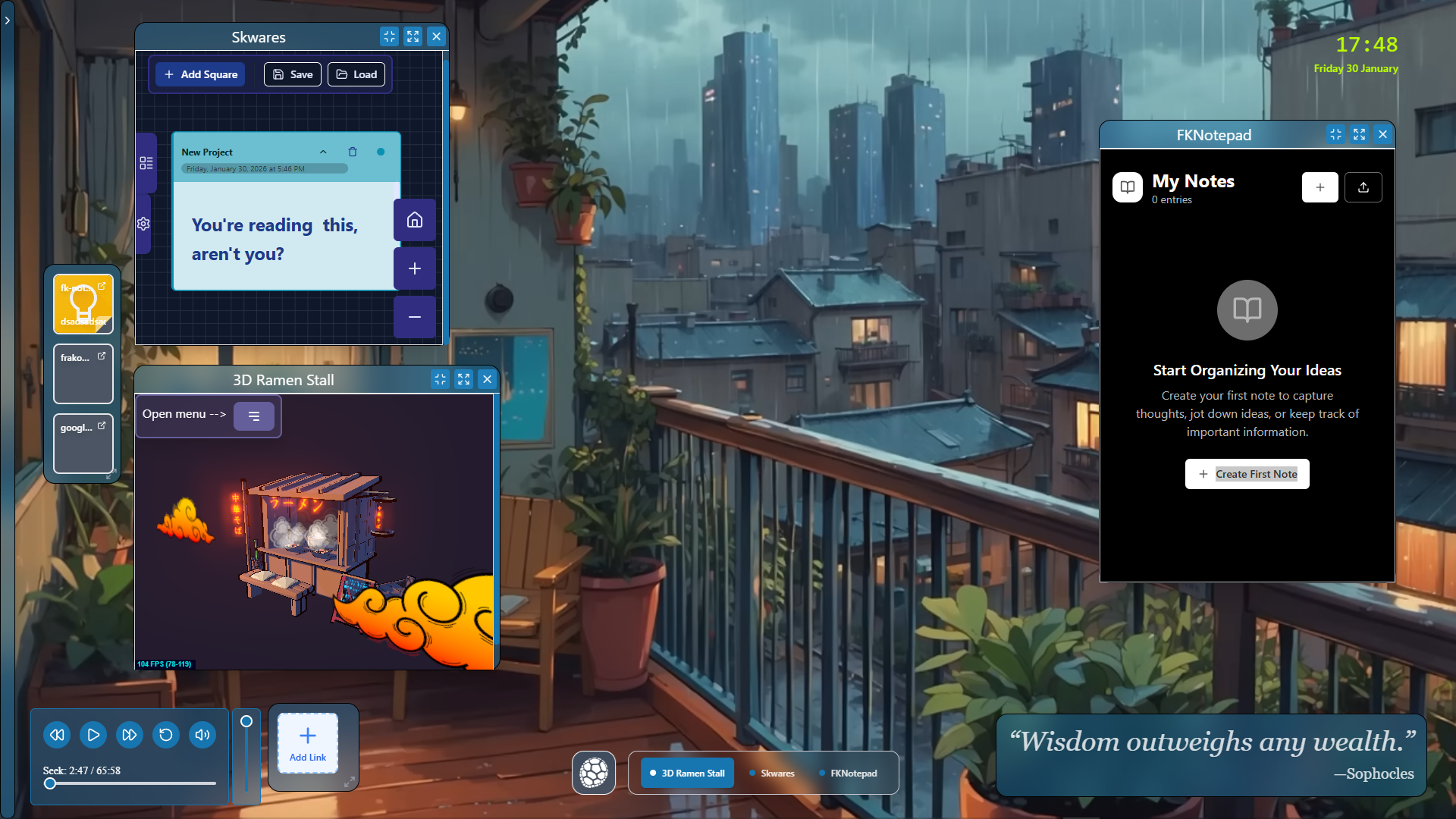
Project Overview
A small operating system in the Cloud that saves EVERYTHING you edit or write on the fly (using Zustand and the local storage). Oogway OS was designed to allow you to enter a specific mood, flow or state and be able to focus on your work or project. To do so, Oogway OS uses "Work Spaces". Read more about it below (in the "Work Environments (and fast switching)" feature section). The data are NEVER sent to anyone and never leave your own hard disk. NOTES: "WuGui" or "Oogway" means "tortoise" in Chinese. The name was gives to represent Oogway OS philosophy of "being in the flow", slowly progressing like a turtle or tortoise.
Gallery
Key Features
- 1
Work Environments (and fast switching)
The number #1 feature of this app is to allow users to focus on their work and be able to take notes and create mindmaps etc on the go. You can set up your own WorkSpace in the system and, upon loading, it will load every note, background, opened apps, colours, windows & widgets etc. You literally resume your work from where you left off. You can set up as many WorkSpaces as you need. These can be downloaded in JSON or saved in your browser's local storage.
- 2
Customisable Desktop
This deserves its own feature section. A different background can be set per WorkSpace. This background can be: a simple image, a GIF, a MP4 video, or even a YouTube video (by URL). Once you load your WorkSpace or just re-open Oogway OS, you'll find the same background you had set for your current WorkSpace. You can literally set a different YouTube video/Image/MP4 video for each WorkSpace you create.
- 3
Draggable Windows & Widgets
Text Editors, 3D apps, Skwares Mindmaps, Clock and Quotes widgets and many other apps and cool widgets you can set up your own work environment with.
- 4
All my web apps
The cool thing about Oogway OS is that it embeds all of my other web apps to conviently switch between them as you need while working. 3D apps, Notepad apps, mindmaps etc.
- 5
Taskbar
This taskbar is where "minimised windows" end up into. Just like in any other operating system, you can minimise windows from a taskbar or bring them back up again.
- 6
Full Customisation
Last but not least, Oogway OS features a full range of customisations. UI Colours, buttons' size, buttons' shape, buttons' colours, UI blur, UI opacity and so on. In this way, you can create different workspaces for you to work with.
Interested in working together?
I'm always open to discussing new projects, creative ideas, or opportunities to be part of your vision.
Get in Touch